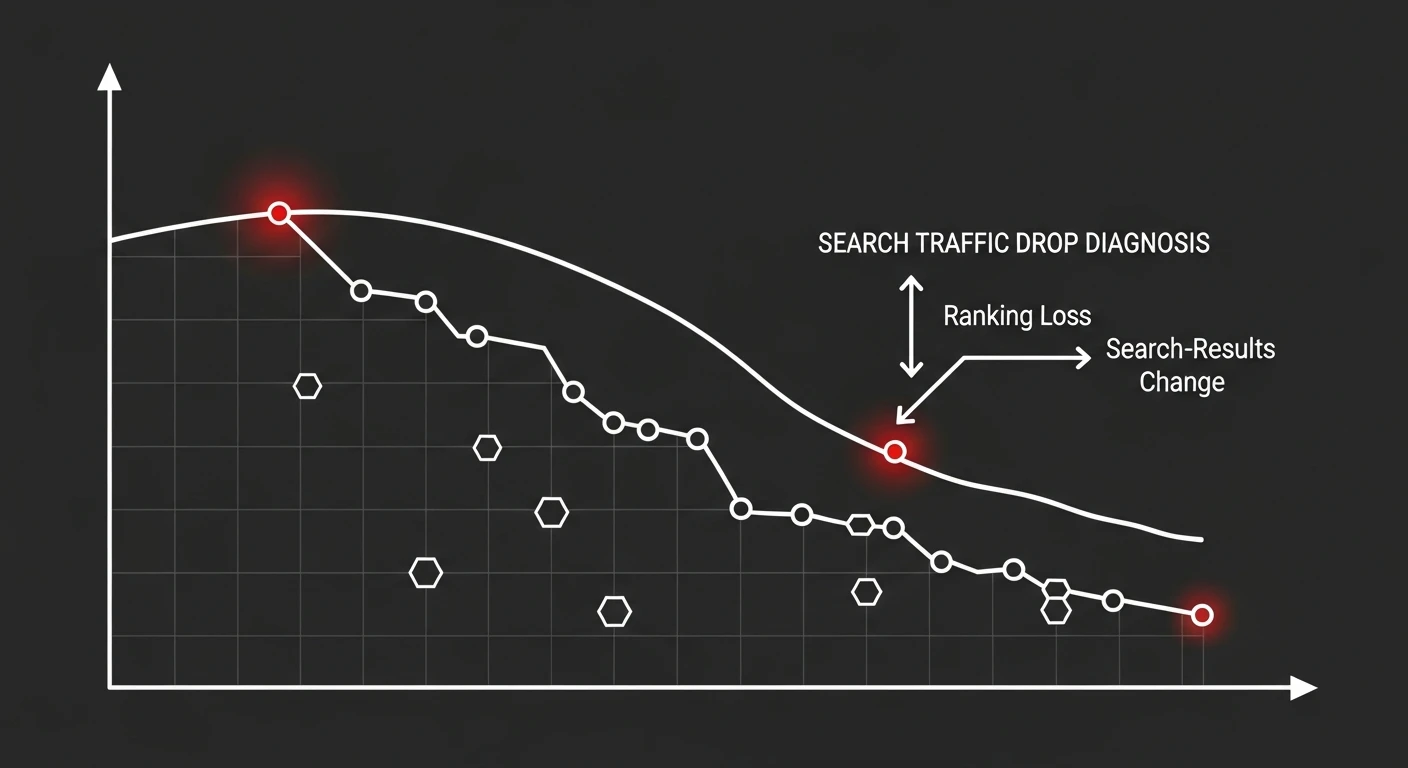
A Google traffic drop is a measurable fall in organic clicks or impressions from Google Search, and diagnosing it starts with one question: did your rankings actually fall, or did the search results page change around you? Open Search Console, find the exact date the decline began, and check whether clicks and impressions dropped together or diverged. That single distinction tells you whether you are dealing with an algorithm update, a technical fault, or AI Overviews eating your clicks — and each needs a completely different fix.
Most people panic and start changing things at random. Do not. A traffic drop is a diagnosis problem before it is a fix problem. Guess wrong about the cause and you can spend two months “improving content” while the real issue is a broken canonical tag from last Tuesday’s deploy.
Across the projects I’ve worked on, the pattern is consistent: the drop almost always has a knowable cause sitting in Search Console, and the businesses that recover fastest are the ones that resisted the urge to act before they understood it.
First, Confirm the Drop Is Real
Before anything else, rule out the boring explanations. Not every dip is a crisis.
Seasonality is the most under-diagnosed cause. Many queries have predictable weekly and annual cycles — B2B traffic sags in August and over holidays, retail spikes before them. Compare this period against the same period last year, not just last month. If last July looked identical, you may have no problem at all.
There is also a specific 2026 gotcha. Google confirmed a logging bug that over-estimated impressions in Search Console from 13 May 2025 to 27 April 2026. Clicks were never affected, but impressions, CTR, and average position were inflated during that window. If your “drop” is really impressions falling back to a correct baseline in mid-2026, that is the bug being fixed — not a ranking loss. Trust clicks over impressions when comparing across that boundary.
Finally, check your analytics tag actually fired. A surprising share of “traffic drops” are a GA4 tag removed in a deploy, a consent-banner change, or a tracking regression. Cross-check Search Console clicks against your analytics sessions. If Search Console is stable but analytics cratered, the problem is measurement, not search.
Diagnose the Google Traffic Drop in Search Console
Once you know the drop is real, Search Console is where you diagnose it. Google’s own guide to debugging search traffic drops is the canonical reference, and the method below follows it.
Step 1 — Pinpoint the exact date
Open the Performance report, set the range to the last three months, and find where the line breaks. Note the precise date. This date is your single most important clue: everything you do next is about finding what changed on or around it.
Step 2 — Read the clicks-vs-impressions signature
This is the diagnostic that splits the whole problem in two:
- Clicks and impressions fall together → your rankings dropped. This points to an algorithm update or a technical regression that pulled pages down or out of the index.
- Impressions flat or rising, clicks falling → your rankings are probably fine, but the SERP changed. In 2026 this almost always means AI Overviews or another SERP feature is intercepting clicks before they reach you.
Get this split right and you have already eliminated half the possible causes.
Step 3 — Scope the drop
Use the Pages, Queries, Countries, and Devices tabs to find the blast radius. Is it one page, one directory, one country, one device — or the entire site? A site-wide, sitewide-even drop suggests an algorithmic or global technical cause. A single-template or single-directory drop points at something specific you can isolate and fix fast.
Step 4 — Overlay confirmed update dates
Line your drop date up against Google’s confirmed core and spam update dates. If the decline began within roughly 14 days of a rollout, an algorithm update is your prime suspect. If it lines up with nothing Google announced but matches your own release calendar, look at your deploys instead.
The Four Causes and How to Tell Them Apart
Nearly every organic traffic drop resolves to one of four causes. Industry analyses attribute the large majority of declines to algorithm updates, content decay, and technical issues, with SERP-feature shifts now a major fourth category. Here is how each one behaves.
1. Algorithm update
Signature: sharp cliff, clicks and impressions fall together, aligns with a confirmed core or spam update, hits a content type or topic across the site.
Core updates are Google reassessing the quality and relevance of content at scale. There is no penalty to remove and no reconsideration request — the Search Console Help documentation on traffic drops is explicit that core-update recovery comes from improving the site, not from a technical fix. If this is your cause, the work is content quality, experience, and trust, and it is measured in months. This is exactly the situation where an experienced SEO audit earns its keep — you need an honest read on why Google now trusts a competitor more than you.
2. Content decay
Signature: slow, gradual slide over months on specific pages, not a single cliff. Rankings erode as content ages and competitors publish fresher, better answers.
Content decay is quiet and cumulative. A page that ranked first two years ago is now fifth because the world moved and the page didn’t. The fix is a disciplined content SEO refresh programme, best started with a content audit to prioritise which pages need work: update facts and dates, deepen coverage, improve the answer to the actual search intent, and reconsolidate overlapping pages. Decay is the most recoverable cause and the most ignored — my guide to fixing content decay walks through the refresh, merge, redirect, or prune decision for each affected page.
3. Technical regression
Signature: sudden, sharp, often total for the affected pages, tied to a deploy or infrastructure change — not to any Google announcement.
This is the one that punishes guessing. Common culprits: a noindex tag shipped to production, a broken or wrong rel=canonical, robots.txt accidentally blocking a directory, a migration that lost redirects, JavaScript that stops key content rendering, or a hreflang change gone wrong. Use the URL Inspection tool on affected pages — it will usually tell you directly if the page is not indexable or if Google picked a different canonical. If your drop lines up with a release and not an update, start here, and get a technical SEO review of what shipped.
One variant worth isolating: if the drop is confined to the Discover tab in Search Console while search stays flat, you are looking at a different failure mode entirely. Discover has its own eligibility conditions that a template change can strip without touching rankings — why Discover traffic disappears without a ranking drop covers the diagnostic order.
4. AI Overviews and SERP features
Signature: impressions steady or up, clicks down, no ranking change. The classic 2026 pattern.
When an AI Overview appears, it pushes traditional results down and answers the query inline, so far fewer users click through even when you still rank. Semrush and multiple independent studies through 2026 have documented sharp CTR declines on queries where an AI Overview is present. You cannot fix this by “ranking higher” — you are already ranking. The response is to earn citations inside AI answers, prioritise queries where AI Overviews are less likely (transactional, local, branded), and shift measurement toward the traffic that still converts.
A Recovery Framework You Can Actually Follow
Here is the step-by-step process I use to take a drop from panic to plan.
- Confirm it’s real. Rule out seasonality, the 2025–2026 impressions bug, and broken analytics tags before touching anything.
- Date it precisely. Find the exact day the decline began in Search Console.
- Read the signature. Clicks-and-impressions-together, or impressions-flat-clicks-down? This forks the entire diagnosis.
- Scope it. One page, one template, one country, or sitewide? Narrow the blast radius.
- Overlay update dates. Aligns with a confirmed update, or with your own deploy calendar?
- Assign a cause. Algorithm, decay, technical, or SERP feature — commit to the most likely one before you act.
- Fix for that cause only. Technical faults get fixed and validated in days. Algorithm and decay get a content-and-trust programme measured in months. SERP-feature losses get a strategy shift, not a ranking chase.
- Validate, don’t guess. After a technical fix, use URL Inspection to confirm indexing. After content work, watch the affected URLs specifically, not sitewide noise.
The discipline is refusing to skip steps one to six. Fixing before diagnosing is how a two-week problem becomes a two-quarter one.
What Not to Do
A few reflexes make things worse. Do not mass-disavow links on a core-update drop — Google ignores most bad links automatically, and you can strip out links that were helping you. Do not delete pages in a panic; you may remove URLs that were still earning valuable traffic. Do not republish the same page with a new date and call it a refresh — Google can tell. And do not chase every micro-fluctuation; daily wobble is normal, and a real drop is a step change, not noise.
If the cause is genuinely an algorithm reassessment of quality, no amount of tinkering substitutes for materially better content and stronger trust signals. That is a strategy problem, and it is where SEO consulting that has diagnosed the same pattern across many sites is worth far more than another tool subscription.
When to Call in Help
Handle it yourself when the cause is a clear technical regression tied to a deploy — that is a fix-and-validate job. Get help when the drop is a core-update reassessment, when you cannot separate the four causes, or when the business impact is large enough that guessing wrong is expensive. A senior second opinion on a Google traffic drop usually pays for itself in the weeks it saves you from working the wrong problem — you can see the kind of results that come from fixing the actual cause rather than the assumed one.
Frequently Asked Questions
How do I know if my traffic drop is an algorithm update or a technical problem?
Check the shape and timing of the drop in Search Console. An algorithm hit is usually a sharp cliff that lines up within about 14 days of a confirmed core update and hits a topic or content type site-wide. A technical fault tends to be sudden, total, and tied to a deploy or config change — often one template, one directory, or the whole site going to near-zero. If clicks fell but impressions held, suspect AI Overviews or a SERP-layout change, not a ranking loss.
How long does it take to recover from a Google core update?
Core update recovery is rarely fast. Google reassesses sites during subsequent core updates, so meaningful recovery often takes one to two update cycles — typically three to six months of sustained content and trust improvements. There is no reconsideration request for core updates and no switch to flip. Sites that recover are the ones that materially improved quality, not the ones that waited.
Can AI Overviews cause a traffic drop even if my rankings didn’t change?
Yes, and this is one of the most common causes in 2026. When an AI Overview appears for a query, organic click-through rate on the underlying results drops sharply even when your position is unchanged. In Search Console you will see impressions stay flat or rise while clicks fall — the tell-tale signature of a SERP-feature drop rather than a ranking loss.
Should I disavow links if my traffic drops after an update?
Almost never as a first move. Google’s systems ignore most low-quality links automatically, and unnecessary disavowing can remove links that were actually helping you. Only disavow when you have a manual action for unnatural links, or clear evidence of a deliberate negative-SEO or paid-link pattern. For a normal core-update drop, disavowing is a distraction from the real cause.