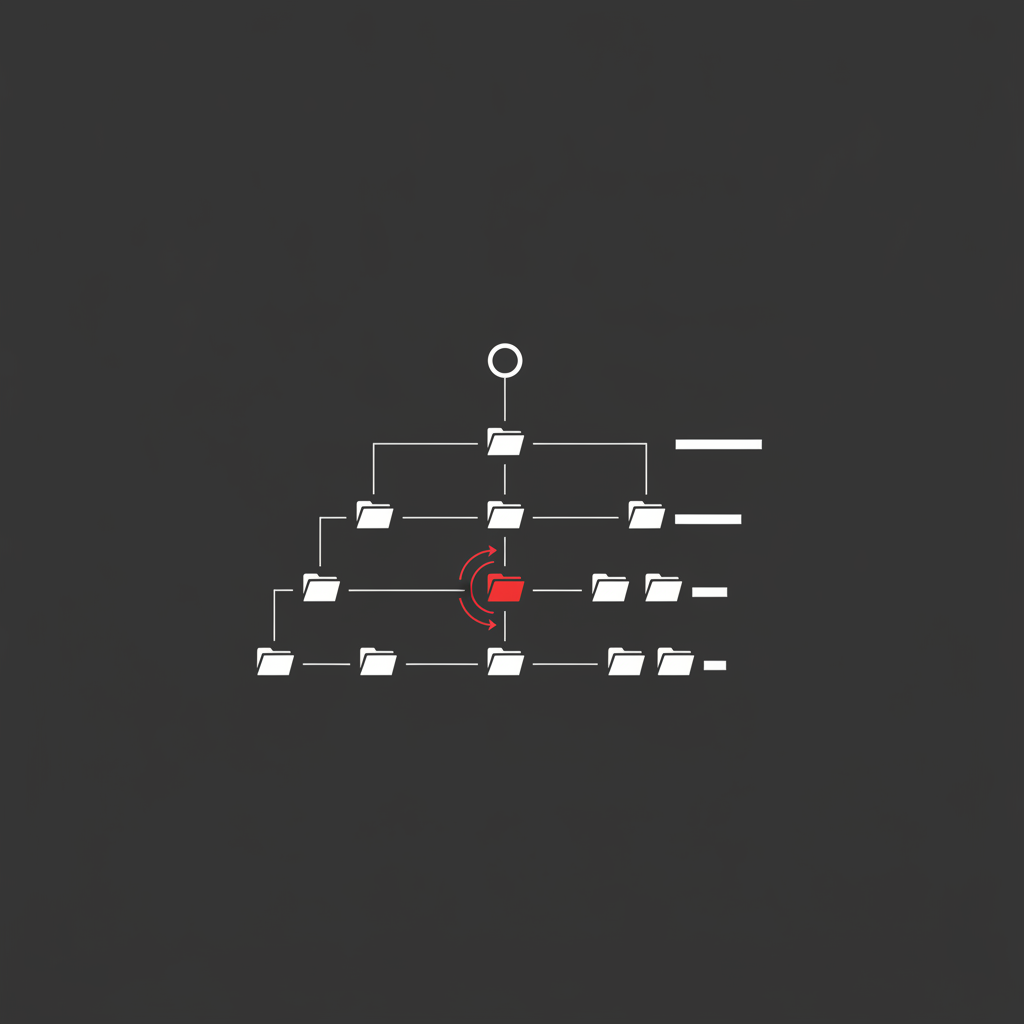
URL structure for SEO is the set of decisions about how your site’s paths are formed — the folder hierarchy, the slug, the parameters, and the rules that keep one page from being reachable at five different addresses. Unlike title tags or internal links, URL structure is not primarily a ranking lever. It is a stability lever: its main job is to stop you from losing what you already have.
According to Google Search Central documentation, overly complex URLs with multiple parameters “can cause problems for crawlers” and may prevent Google from fully indexing a site. In 2016 Google’s John Mueller confirmed keywords in URLs are a ranking factor but called the signal “very small,” adding it is “not something I’d say is even worth your effort to restructure your site” for. Backlinko’s analysis of 11.8 million Google search results found subdirectories consistently outperforming subdomains on competitive queries.
Here is the practical version. If you are building new URLs, follow a short list of rules that take five minutes and cost nothing. If you are looking at existing URLs, the default answer is leave them alone. Almost every article on this topic conflates those two situations, which is why so many teams spend a quarter rewriting paths and end up flat.
In my experience auditing mid-market sites, URL rewrites are one of the most common self-inflicted traffic losses I see — usually shipped by a well-meaning team that read a checklist telling them to add keywords to their slugs.
What URL Structure Actually Is
A URL has three parts that matter for SEO: the protocol and host (https://example.com), the path (/services/technical-seo/), and everything after the path — query parameters, fragments, and trailing characters.
The path is where hierarchy lives. /services/technical-seo/ implies that technical SEO is a child of services, and Google uses that as one weak signal about how your site is organised. The slug is the final segment: technical-seo.
Parameters are where most technical damage happens. ?sort=price&color=blue&sessionid=8814 creates a near-infinite space of crawlable addresses for the same content. This is the part of URL structure that genuinely affects rankings, and it is the part almost no checklist covers properly.
Do SEO-Friendly URLs Actually Improve Rankings?
Directly, barely. Indirectly, sometimes a lot.
Google’s own position has been consistent for a decade. Mueller confirmed in 2016 that a keyword in the URL is a ranking factor, then immediately qualified it as very small and said restructuring a site to capture it is not worth the effort. By 2018 he framed keywords in URLs as having very little to do with ranking or user experience.
So where does the real value come from? Three places:
- Crawl efficiency. Clean, finite URL spaces mean Googlebot spends its requests on pages you care about instead of parameter permutations. On large sites this is the single biggest URL-related win, and it connects directly to crawl budget optimisation.
- Duplicate content control. Consistent casing, trailing slashes, and protocol prevent the same content resolving at multiple addresses and splitting signals.
- Click-through rate. URLs appear in SERPs, in AI Overview citations, and in every place someone shares a link. A readable path gets cited and clicked more than
?p=8814.
None of those are “put your keyword in the slug.” That is the cosmetic layer, and it is the layer every guide fixates on.
The Rules Worth Following for New URLs
When you are creating a URL that doesn’t exist yet, the cost of doing it well is zero. Do all of this:
- Lowercase only. Case-sensitive servers will happily serve
/Guideand/guideas two separate pages. - Hyphens, not underscores. Google treats hyphens as word separators and underscores as word joiners, so
url_structurereads as one token. - Three to five meaningful words. Drop stop words.
/url-structure-seo-guide/beats/the-complete-guide-to-url-structure-for-seo/. - Mirror your architecture, but keep it shallow. Two or three path levels is plenty. Deep nesting adds no ranking benefit and makes future restructures harder.
- No dates, no IDs, no volatile terms.
/2026-seo-guide/forces you into a rewrite next January./seo-guide/with an updated date field does not. - Pick one trailing-slash convention and enforce it site-wide with a single redirect rule, not a redirect chain.
- Keep parameters out of indexable URLs. Filters and sorts belong behind clean canonical logic — see faceted navigation for how this plays out on ecommerce.
That’s the whole list. It takes minutes on a new site and needs no ongoing maintenance.
Subfolder vs Subdomain: The Only Version of This Argument That Matters
Google’s public line is that it handles blog.example.com and example.com/blog/ equally well, and its systems understand the relationship between a subdomain and its parent. Take that at face value.
Then look at what actually happens in practice. Backlinko’s 11.8-million-result analysis found subdirectories outranking subdomains on competitive queries. That result is not evidence of a hidden algorithmic penalty — it is evidence of an operational reality.
Subdomains fragment things you want consolidated. A separate subdomain typically means a separate CMS, a separate template, a separate analytics view, and — critically — an internal link graph that doesn’t flow naturally between the two. Every technical improvement has to be shipped twice. Every internal linking opportunity requires someone to remember the other property exists.
The practical rule: use a subfolder unless a hard constraint forces you not to. Legitimate constraints exist — a SaaS app on a different stack, a regional site with genuinely separate infrastructure, a platform that can’t serve a subfolder. If you’re choosing between them purely for SEO reasons, choose the subfolder. If you’re already on a subdomain and it works, migrating is a full site migration with all the risk that implies, not a quick win.
The Real Question: Should You Change URLs You Already Have?
This is what people actually want to know, and it’s what the top-ranking guides refuse to answer directly.
Here’s the honest position. Every URL change costs you something guaranteed and gains you something speculative. The guaranteed cost: a 301 redirect passes link equity imperfectly, Google has to rediscover and re-evaluate the new URL, internal links need updating, and rankings typically wobble for weeks. The speculative gain: a signal Google describes as very small.
That maths almost never works out for a URL that’s already performing.
The Five-Question URL Change Test
Run any proposed URL change through this before you touch anything:
- Is there a concrete technical problem? Parameter sprawl creating thousands of duplicate URLs, a path structure blocking crawl, a URL that breaks tracking or caching. “It doesn’t have the keyword in it” is not a technical problem.
- What is this URL currently worth? Pull clicks, impressions, and referring domains. A URL with real external links and ranking history has an equity cost that scales with its performance.
- Is this isolated or systemic? Changing one blog post is a small controlled action. Changing a URL pattern across 40,000 product pages is a migration and needs a migration process.
- Can you redirect cleanly and update everything? One 301 hop, no chains, every internal link updated, sitemap regenerated, canonicals pointing at the new path. If you can’t commit to all four, don’t start.
- Can you bundle it? If a redesign or replatform is already coming, fold the URL change into it. You absorb one recovery period instead of two.
If you answer no to question one, stop. That’s the case for the large majority of URL changes I get asked about.
If You Do Change Them
Map old to new one-to-one before writing a single redirect. Use single-hop 301s — chains waste crawl budget and leak a little equity at every step, which is covered in more depth in the 301 redirects guide. Update internal links in the source, not by relying on redirects; a site that internally links to redirected URLs is telling Google its own navigation is stale. Then watch Search Console coverage and the affected URLs for at least six weeks before drawing conclusions.
Parameters, Casing, and the Things That Actually Break Sites
If you only fix one category of URL problem, fix this one.
Parameter sprawl. Faceted filters, session IDs, tracking parameters, and sort orders can multiply a 500-page catalogue into hundreds of thousands of crawlable URLs. The fix is a combination of canonical tags pointing filtered views at the clean URL, robots.txt rules for genuinely worthless parameter patterns, and internal links that only ever point to canonical paths. Get the canonical tag logic right first — robots rules on top of bad canonicals just hide the problem from your crawler while Google keeps finding it.
Case inconsistency. If your server resolves both /Products/ and /products/, you have duplicates. Enforce lowercase with one redirect rule.
Trailing slash inconsistency. Same problem, same fix, and it’s shockingly common on sites that migrated between frameworks.
Redirect chains. Every migration adds a hop. Three migrations later, /old-page → /older-page → /new-page → /newest-page is burning crawl requests and shedding equity. Periodically flatten chains so every legacy URL points directly at its final destination.
These four issues do more measurable damage than every slug-length rule combined, and they’re the ones I find on nearly every technical audit I run. If you want them found systematically, that’s what a technical SEO audit is for.
How URL Structure Interacts With AI Search
One genuinely new consideration for 2026: URLs now appear as citations in AI Overviews, ChatGPT, and Perplexity answers, not just in blue links.
That doesn’t change the ranking maths — a clean slug still isn’t a ranking factor of consequence. What it changes is the citation surface. A URL that reads as a clear topical statement is easier for a model to attribute correctly and easier for a reader to trust when it appears next to an extracted answer.
It also raises the cost of URL churn. When an LLM’s training data or retrieval index holds your old path, a redirect chain sitting between the citation and your content is one more failure point. Stable URLs are worth more in an AI search world than they were in a purely blue-link one — which is one more argument for the position this post has been making throughout.
The Bottom Line
Get URL structure for SEO right once, at creation, using a five-minute checklist. After that, treat your URLs as infrastructure: boring, stable, and changed only when there’s a real technical reason. The teams that win here aren’t the ones with the most keyword-optimised slugs — they’re the ones who haven’t broken their own URLs three times in two years. Fix parameter sprawl and redirect chains, leave your ranking URLs alone, and spend the saved effort on content and links, where rankings are actually won.
Frequently Asked Questions
Does URL structure affect SEO?
Yes, but far less directly than most guides claim. Google has described keywords in URLs as a “very small” ranking factor, and John Mueller has said explicitly that it isn’t worth restructuring a site to get keywords into URLs. URL structure matters mainly through second-order effects: crawl efficiency, duplicate content control, and the internal link graph your paths imply.
Should I change my URL if it’s already ranking?
No, unless the URL is causing a concrete technical problem. A ranking URL has accumulated external links, internal links, and history that a 301 redirect only partially preserves. Rewriting it to add a keyword trades a guaranteed short-term loss for a theoretical gain Google itself calls very small.
Are subfolders better than subdomains for SEO?
Subfolders are the safer default for most sites. Google states it handles both equally, but Backlinko’s analysis of 11.8 million search results found subdirectories consistently outperforming subdomains on competitive queries. The practical reason is operational: subfolders share one crawl profile, one internal link graph, and one technical stack, so improvements compound instead of splitting.
How long should a URL be for SEO?
There’s no length limit that triggers a penalty. The commonly repeated 60-character target is a usability and click-through guideline, not a ranking threshold — long URLs get truncated in SERPs and are harder to cite. Aim for three to five meaningful words in the slug, and don’t rewrite existing URLs just to hit a character count.
Do keywords in URLs help rankings?
Marginally. Google confirmed in 2016 that keywords in URLs are a ranking factor but described the signal as “very small,” and by 2018 Mueller framed it as having very little to do with ranking. Include the keyword when you’re creating a URL from scratch, because it costs nothing — and never rewrite an existing ranking URL to add one.
Sources: Google Search Central — URL structure best practices, Search Engine Journal — URLs as a ranking factor, Sitebulb — building SEO-first website architecture.
Need someone to tell you which of your URLs are actually worth changing? I run technical SEO audits that separate the real problems from the checklist noise.